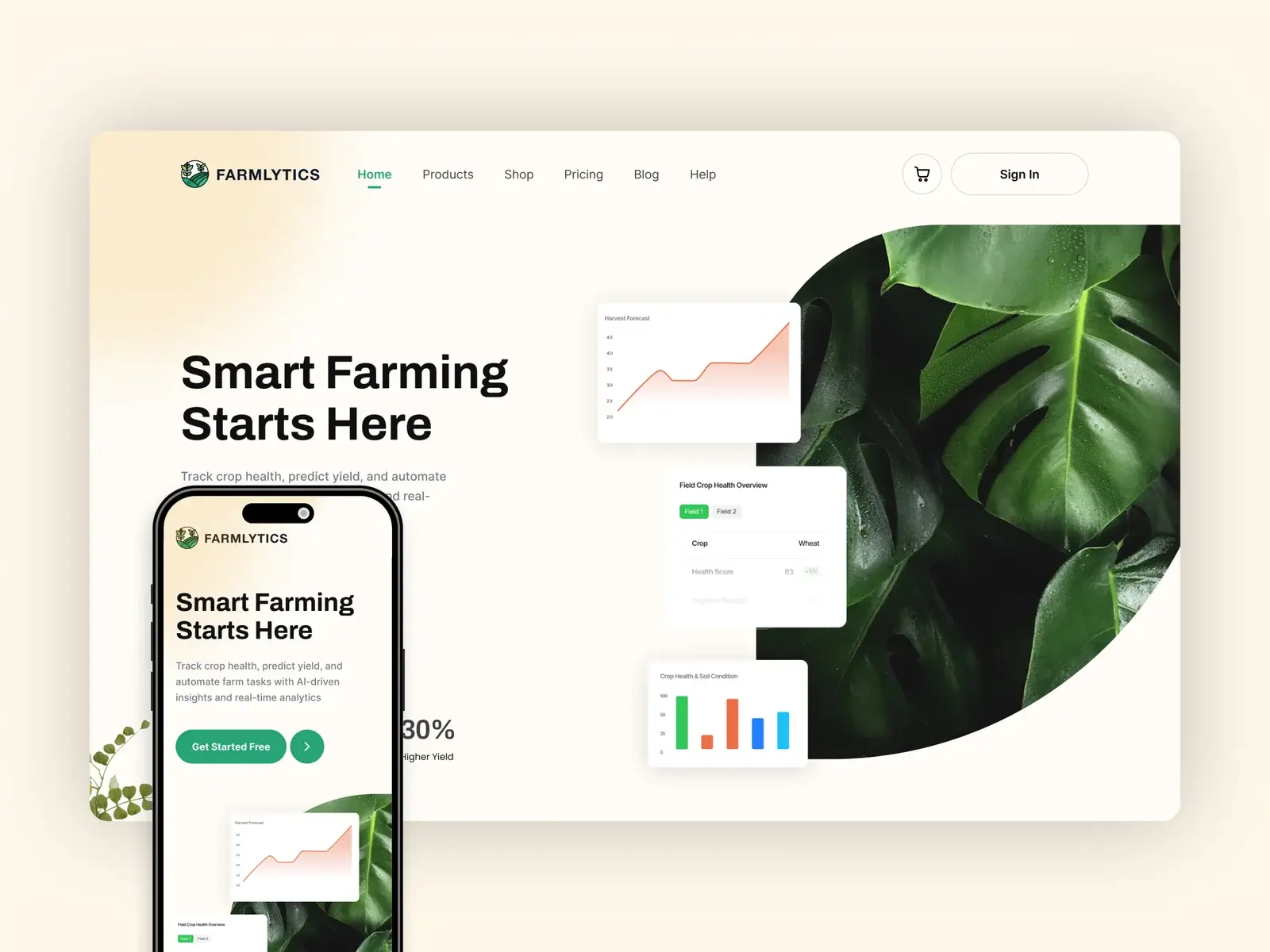
Making field operations easier to track, plan, and act on in real-world conditions
Context
This project focused on improving a field management system used in agriculture to track land, activities, and daily operations.
Users rely on the system to make quick decisions about crops, tasks, and field conditions. Most of the usage happens in real environments, not in ideal desk setups.
The goal was to simplify how users manage field data so they can take action faster without confusion.
Target Audience and Personas
Farmer (Primary User)
- Manages multiple fields and crops
- Needs quick updates and clear information
- Struggles with complex tools and too much data
Field Supervisor
- Tracks work across locations
- Needs visibility into activities and progress
- Struggles when information is scattered
Agri Consultant / Advisor
- Reviews data and gives recommendations
- Needs accurate and structured data
- Struggles when data lacks clarity or consistency
Key Tension
- Simplicity vs depth of data
- Real-world usage vs system structure
- Speed vs accuracy
All users needed one thing: clear information that helps them act quickly.
The Challenge
The existing experience made field management harder than it should be:
- Too much information without clear structure
- Hard to track activities across fields
- No simple way to understand current status
- Complex navigation for everyday tasks
This led to:
- Slow decision-making
- Missed or delayed actions
- Low adoption of advanced features
The core problem was not lack of data. It was lack of clarity in how data was presented.
My Contribution
- Took ownership of improving field management workflows
- Defined a simpler structure for viewing and managing field data
- Focused on making daily tasks faster and easier
- Worked closely with product and engineering to align flows with real-world usage
- Contributed to research, flows, and high-fidelity designs
What Process We Followed
Understanding the Problem
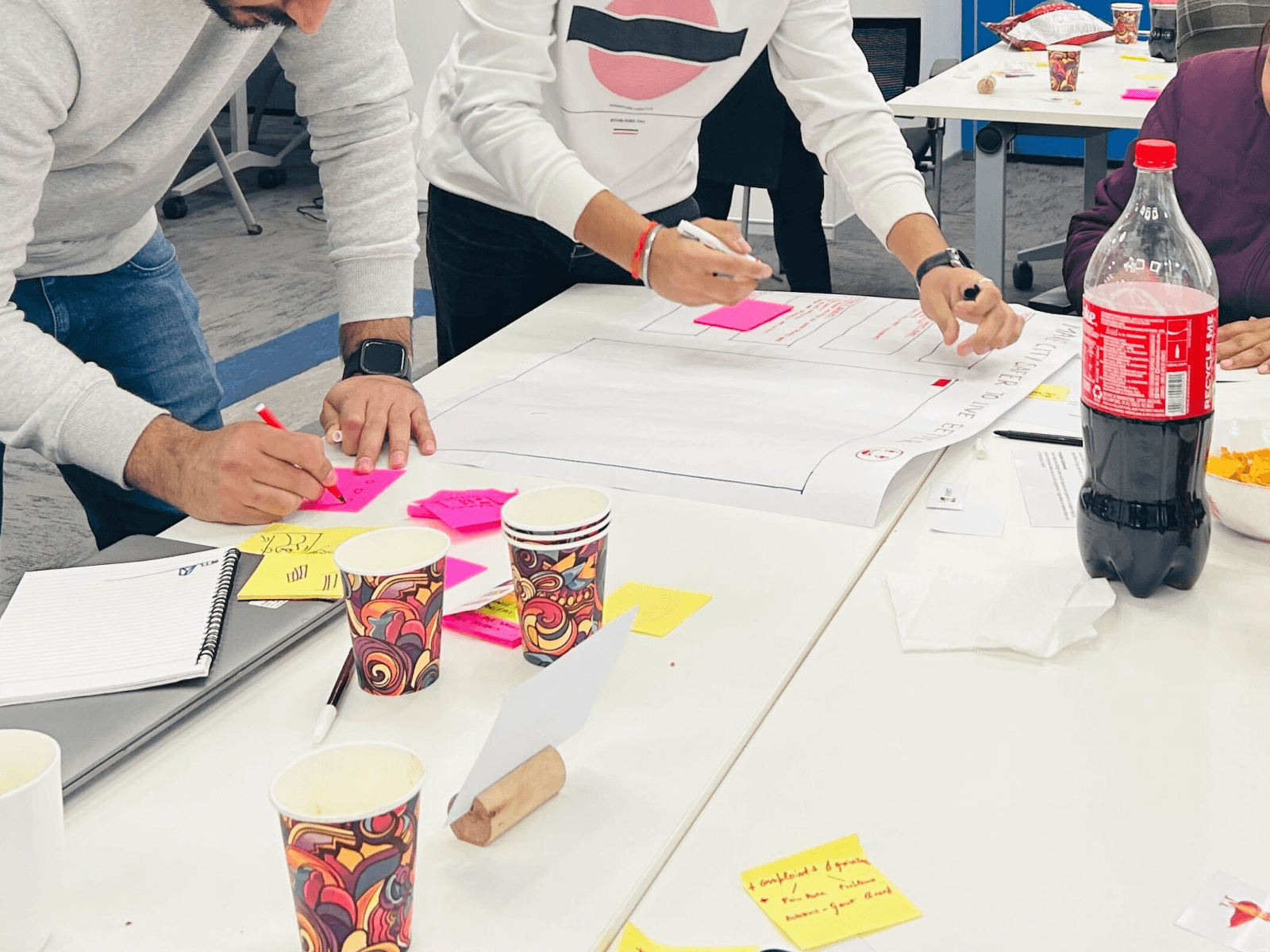
- Studied how users manage fields in real conditions
- Identified where users get confused or slow down
- Mapped key actions like tracking, updating, and planning
Structuring the Solution
- Grouped data based on user tasks, not system logic
- Simplified navigation to reduce steps
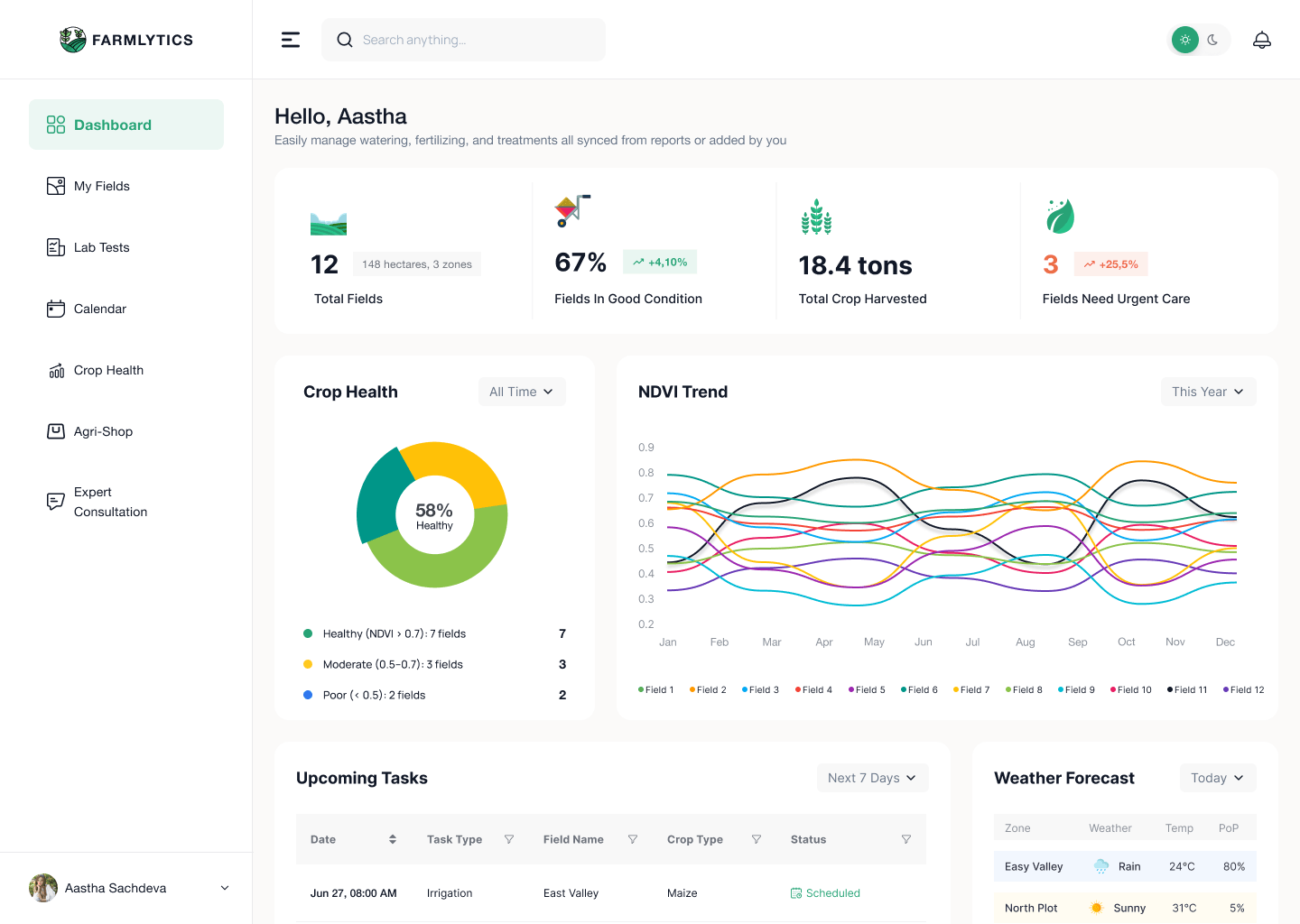
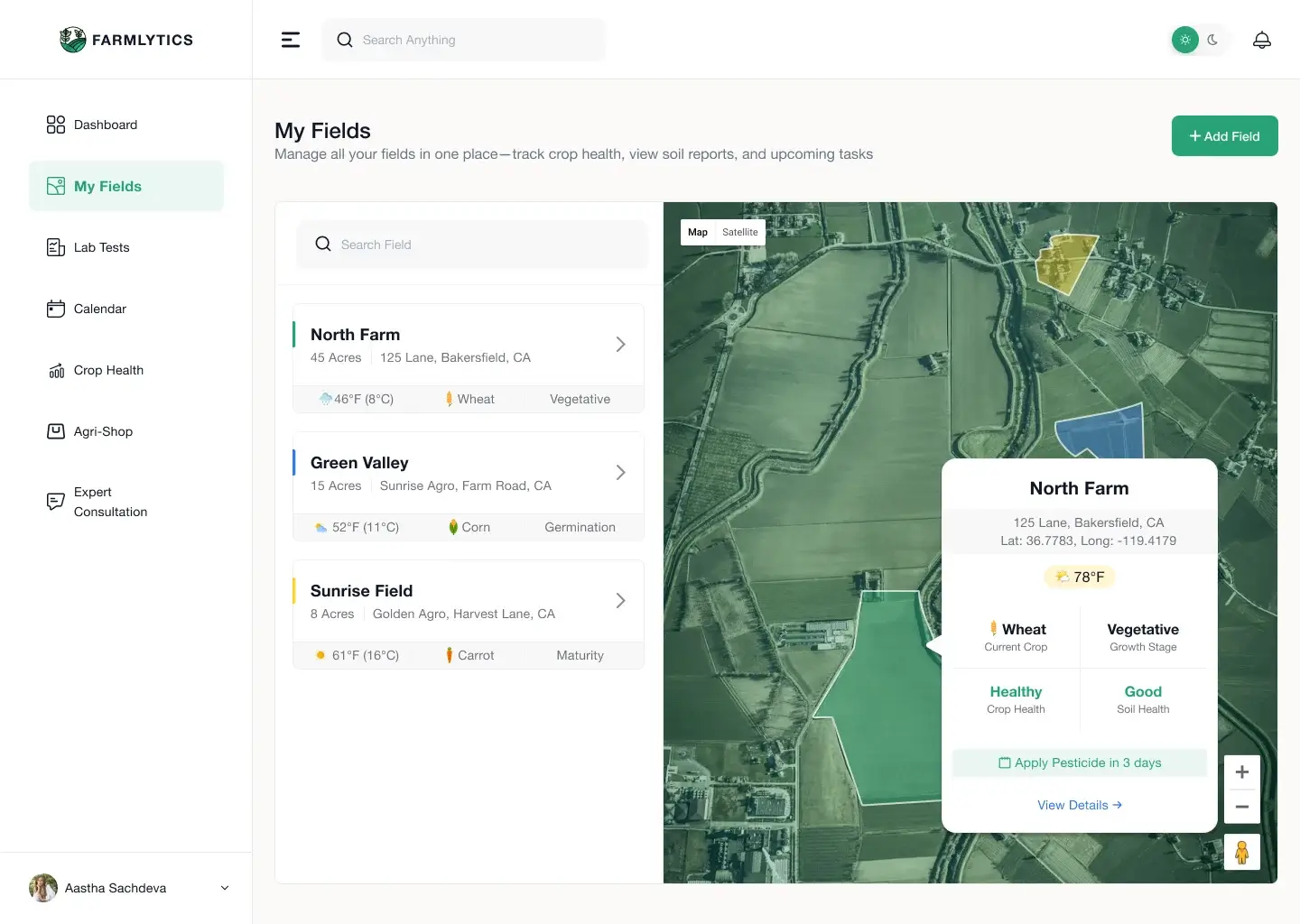
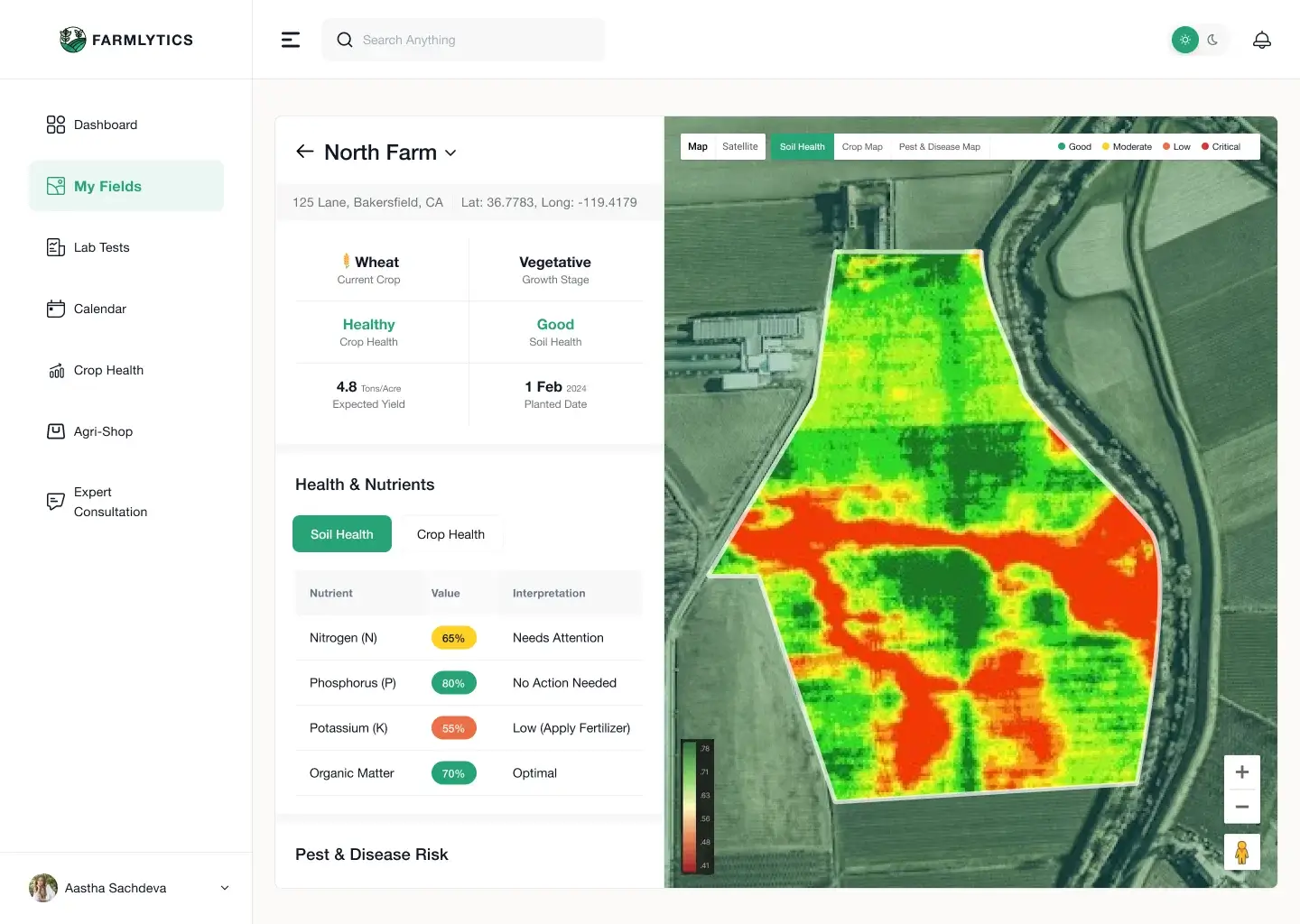
- Created clear views for field status and activities
Refining the Experience
- Reduced unnecessary data on primary screens
- Improved labels and visual hierarchy
- Made key actions easy to access and repeat
Key Decisions and Trade-offs
- Prioritized task-based views over data-heavy dashboards
- Reduced visible complexity to support real-world use
- Focused on clarity over showing all data at once
- Balanced flexibility with structured workflows
These decisions helped users focus on what matters in the moment.
Collaboration
- Worked with product to align features with real user needs
- Partnered with engineering to simplify data handling and flows
- Used field scenarios and feedback to guide improvements
Solution Overview
- Clear field-based structure for managing data
- Simplified views for tracking activities
- Action-first design for quick updates
- Reduced navigation between sections
- Consistent patterns across workflows
The experience now supports quick understanding and faster decisions in daily work.
Outcome
- Faster decision-making in field operations
- Reduced confusion in tracking activities
- Better usability in real-world conditions
- Improved adoption of core features
Reflections
- Real-world tools must match real-world behavior
- Simplicity is critical when users are not in ideal environments
- Clear structure helps users act faster with confidence
Key Takeaway
- Users working in real environments do not have time to figure out complex systems.
- Clarity and speed are what make a tool truly useful.